
Our tool for managing your permission to our use of cookies is temporarily offline. Therefore some functionality is missing.
FAQ's
General Questions
- General Questions
-
Is the MINI sold worldwide?
![dam Image]()
-
Where was the MINI developed?
-
Where is the MINI produced?
-
Is it possible to have a guided tour of the MINI manufacturing facilities?
-
Where can I buy MINI shirts, caps and suchlike?
- The MINI Brand
-
What is the philosophy behind the development of the MINI?
-
Where can I learn more about the history of the MINI?
Here are some more MINI milestones:
- 2001 – The new generation MINI is doubly impressive, arriving in the MINI Cooper and MINI One.
- 2002 – The MINI Cooper S roars to life.
- 2004 – The MINI Cabrio opens up to the sun.
- 2006 –The 2nd generation MINI Cooper and MINI Cooper S were launched, with more powerful engines than their predecessors, a revamped design and a wealth of new features.
- 2007 – The MINI Clubman stretches out to add versatility to MINI agility.
- 2008 – Two more 'serial thrillers' took to the streets: the MINI John Cooper Works and the MINI John Cooper Works Clubman. These models were the first MINI fitted with John Cooper Works performance parts to roll off the series production line at the Plant Oxford manufacturing facilities.
- 2009 – The second generation MINI Cabrio models open for business.
- 2010 – A brand-new type of MINI was unveiled: the MINI Countryman. The first MINI with ALL4 four-wheel drive, four doors and four seats − and it's four metres long, too.
- 2011 – The Cooper S gets the diesel treatment to add the Cooper SD variant, and the MINI Coupé arrives to show a sporty side.
- 2012 – The MINI Roadster offers a rush for two, while the MINI Paceman rebels with its combination of four-wheel drive and sleek design.
- 2014 – The third generation is here with the new MINI 3 Door and MINI 5 Door models, and the refreshed MINI Paceman and MINI Countryman never looked better.
- What events are there for MINI?
- Website
- How do I keep up to date on what's going on in the world of MINI?
- How can I get in touch with MINI?
- How does the MINI website use cookies?
-
How does the MINI website ensure the privacy of any personal data that I submit?
Only with a declaration of your consent, will your data be used for the purposes of consulting, advertising and market research. If the declaration of consent also covers the transfer of your data to BMW AG companies or to third parties named in the declaration of consent, your data may be passed on to the parties named. If you do not issue a declaration of consent of this nature, your data is not passed on. This declaration of consent may be revoked at any time with regard to future processing of your data. To revoke the declaration of consent, please get in touch with the customer service named in the Contact section.
An in-depth explanation of data-protection procedures can be found in the "Legal Notice" section of the website. - Environment
-
How is MINI helping to reduce CO2 emissions?
A number of features have been introduced to reduce fuel consumption, including:
- Brake Energy Regeneration.
- Shift Point Display (to help select the most fuel-efficient gear at just the right time.
- Auto Start/Stop function (switches off the engine in almost every situation when the MINI or MINI Clubman is stationary).
- On-demand technologies, including a volume-regulated oil pump, a switchable water pump and electromechanical power-assisted steering (EPAS) instead of hydraulic steering.
- Twin Power Turbo engines which are more fuel efficient than compressor-based technology.
- Friction-optimised lightweight engines.
- New 3- and 4-cylinder Twin Power Turbo engines with turbo charging, direct injection, fully variable valve control, variable camshaft control.
- Improved aerodynamics.
-
How is a MINI recycled?
Recycling begins with the monitored return of the MINI to an approved take-back point or dismantling facility. Contact your MINI dealer to locate these approved places which can issue the certificate of destruction necessary for finally deregistrating the MINI.
Recycling begins with the neutralisation of airbags and other pyrotechnical components. Then the air conditioning system refrigerant and the brake fluid are extracted, the cooling water and the engine and transmission oil are released and the fuel is pumped off. The different liquids are poured into separated containers and then processed or recycled in specialised plants.
Once the MINI has been drained of fluid, those parts and materials that are suitable for recycling are dismantled. The remains of the dismantled MINI are reduced to palm-sized pieces at a shredding plant and then sorted. Plastics, textiles, iron and non-iron metals will be recycled further. -
What does "designed for recycling" mean?
MINI developers aim to ensure that the environmental effects caused by the MINI are kept to a minimum throughout its entire lifespan.
Efficient, environmentally friendly recycling begins during the development and production stage of every MINI.- During the development phase, constructors assess all components with regard to their recycling potential and make a note of this on the component sketches.
- Recycling concepts are devised for large components (e.g. the bumper trim or the cockpit).
- Carefully selected materials reduce the product mix, thus avoiding the use of non-recyclable substances.
- Suitable joining techniques guarantee pure separation of the components during dismantling.
- "Life Cycle Assessment" case studies ensure systematic evaluation of the effects that components have on the environment.
- Virtual and real-life dismantling analyses ensure that each MINI achieves the targets that have been set.
- Findings obtained from the dismantling analyses are passed on in training courses and in detailed documents to all parties involved in the recycling process.
- These measures guarantee the following for all MINI models:
- All pyrotechnical components (e.g. airbags and seatbelt pretensioners) can be triggered via the same interface.
- All liquids (e.g. oil, fuel, cooling liquids, brake fluids, air conditioning system refrigerants) can be removed quickly and completely via a spot drilling or drain plug.
- Plastic components weighing more than 200 g are marked with the materials they are made of.
- Large plastic components that are suitable for economical recycling can be dismantled quickly and easily.
- The resources required can be minimised by using recyclates in manufacturing.
-
Can I fill my MINI with E10 biofuels?
- Dealerships
- What's the best way to find a MINI dealer?
- Where can I find prices for the different MINI models?
- I want to buy a MINI. What sort of finance deals are available?
-
What maintenance and servicing offers are available for the MINI?
An additional service reminder is available directly in your MINI cockpit in the form of the service interval display or Condition Based Service (CBS), which will remind you when the next service appointment is due.
MINI maintenance offers the efficiency and reliability in keeping with BMW Group standards.
Thanks to MINI Service Inclusive – the excusive range of services for your MINI − you no longer need to worry about servicing and maintenance costs. Within the contractual period or distance specified, you can make use of all available services − as often as you like, irrespective of the number of repairs that are necessary.
MINI Service Inclusive packages are valid at all participating MINI dealerships, MINI contract partners and MINI Service authorised repair shops. If the utmost comfort and flexibility are one of your Must-haves, then MINI Service Inclusive is just the ticket.The most important benefits include:
- Reliable services for a one-off payment
- Top-quality work carried out by MINI Service experts
- The guaranteed use of Original MINI Parts and state-of-the-art diagnosis
- Maximum safety for your MINI
- Excellent chances of getting a high resale value for your MINI
During the contractual term, MINI Service Inclusive packages can be transferred to any new owner, which helps to boost the resale value of your MINI.
MINI Service Inclusive can be combined with different durations and distances, so that it meets all your personal servicing needs and wants. -
How do I find a MINI dealer when I'm abroad?
The MINI website will automatically locate your nearest MINI dealer (in most countries of the world). You may change the selected MINI dealer at any time.
Click below to go to the country/region overview page or to find your nearest MINI dealer. - Does MINI offer a mobility/breakdown service?
- Will MINI dealers arrange servicing appointments?
- Where can I order a brochure?
- How do I arrange a test drive in a MINI?
- Is there an online used car market especially for MINI?
- RDE2 Euro6 Standard.
- What is RDE2 Euro6 Standard?
MINI Technology
- MINI CONNECTIVITY
-
Which Bluetooth® wireless technology mobile devices can I use with my MINI mobile phone preparation?
- Can I use a non-listed Bluetooth®-capable mobile device in my vehicle?
-
Why is my mobile device not included in the list of mobile devices tested by MINI?
-
Can I use a mobile phone listed in Compatibility Check with a different software status without experiencing any problems?
No comment is possible on the functionality and compatibility of other software statuses. General experience, however, shows that when a more recent software status is used, it can be assumed that compatibility characteristics will be similar. Please note that in some cases functional limitations may also be due to the data stored in the mobile phone and their size.
-
Why are there differences between the various mobile devices in terms of handling and scope of functions?
As implementation of the Bluetooth® standard differs distinctly between various mobile phones and may also change during the product life cycle of a model, limitations of function in the vehicle may occur for which MINI is not responsible. In addition to the software status of a mobile phone, the following factors may also influence compatibility:
- Hardware version of the mobile phone
- Mobile phone configuration (e.g. size of telephone book, power-saving mode)
- Operating status of the mobile phone (e.g. battery charge, length of operation, degree of usage)
- Network and SIM card
For this reason, sporadic impairment of functions cannot be ruled out, even in the case of mobile devices which otherwise function reliably.
-
What happens when there is more than one registered mobile device with activated Bluetooth® function in the MINI?
-
Who can I contact if have any problems with the Bluetooth® interface on my mobile device?
- Is it possible to use phones with the Android platform?
- QUESTIONS AND NOTES ON THE CONDITIONS
-
How do I register my mobile device with my MINI mobile phone preparation ("pairing")?
If a mobile phone has already been registered in the vehicle, the connection will be made automatically when you start your journey. To establish the connection, however, you must make sure that the Bluetooth® service is activated both on the telephone and in the vehicle.
During the registration procedure, you will be asked to enter a pass key. You can choose any key you wish, but for security reasons it should consist of at least four numbers and not commonplace (e.g. "0000" or "1234").
-
Can several mobile devices be connected by Bluetooth® at the same time?
-
Is it possible to remove the ignition key during a telephone conversation?
-
I have made changes in the contacts, calendar entries, to-do notes or notes on my mobile device. When will these changes be shown in the vehicle?
As a general rule, the data update is initiated as soon as the ignition is switched on. Please check the display on your mobile phone as well: it may require you to confirm the data transfer.
-
How can I change the sort sequence of my telephone book entries (e.g. to sort in order of surname)?
Some mobile devices do not distinguish between first names and surnames, in other words the parts of the name are entered in one text field; in many mobile devices a comma or semicolon determines which part is interpreted as the first name or surname. This applies in particular to entries on the SIM card as well.
Some mobile devices provide an option for setting the sort sequence – however, this may not necessarily be taken into account when the telephone book is transferred via the Bluetooth® connection.
In current vehicles with the relevant equipment, it is possible to set the sorting sequence in the Control Display.You will find further information in the operating manual for your vehicle and in Compatibility Check.
-
Why can't I use the conference call function in my vehicle?
-
Why is the name or number of a person not displayed during a call?
If it’s an incoming call, this is often because the caller has enabled the Withhold Number function on their mobile device.
-
Why is the person I am calling not shown my number when I make an outgoing call?
If this is not the case, it may be due to the fact that your mobile phone provider activates this function by default (CLIR = Calling Line Identification Restriction). You are recommended to contact your mobile phone provider and have CLIR disabled.
-
Why aren't the appointments, to-do notes and notes displayed in the Office menu of my MINI?
You will find further in the operating manual for your mobile device, in the operating manual for your vehicle and in Compatibility Check.
-
Do the call lists in the vehicle and in the mobile device match?
When you are using mobile devices that do not support call lists, the lists shown in the vehicle include only those calls made using the Bluetooth® connection in the vehicle.
- Why can’t I see all the text messages on the mobile device in the vehicle?
-
How can I use Bluetooth® audio reproduction in the vehicle?
On some mobile devices, it is necessary to launch the programme for playing music files on your mobile device and then select a title using the device.
-
How can Bluetooth® Audio reproduction be resumed after a phone call or traffic message?
-
Can I use the audio reproduction function of my mobile device via Bluetooth® if the mobile device is connected with the vehicle via the USB snap-in adapter or a USB cable?
- Why is the photo stored for some of my contacts in the telephone book not shown on the Control Display?
- PRODUCT OFFERING
-
Do I need a snap-in adapter to operate my mobile phone in the vehicle?
- PROBLEMS AND SOLUTIONS
-
Why can’t I register my mobile device despite having entered the pass key?
The pass key entered in the vehicle must be identical to that entered in the mobile device. In addition, the registration procedure has to take place within 30 seconds. If you have to repeat the registration procedure, it may be necessary to delete the already existing entries in the list of devices on your mobile device. Please consult the operating manual for your mobile device in this connection.
-
What could be the reason that my mobile device is unable to automatically reconnect or that a previously reliably supported function is no longer available in the usual manner?
If no automatic connection is established, check the display on your mobile device.
Some mobile devices require a confirmation for the current and subsequent connections. You will find further advice in the operating manual for your mobile phone.If the mobile device fails to connect automatically even after several attempts, it may be possible to solve this by switching the mobile phone off and on completely, by briefly removing the battery or resetting the mobile phone to the factory settings.
However, before resetting the mobile phone, you’re strongly advised to back up your data.
Please consult the operating manual for your mobile device in this connection. Also check whether the registration information is still present in both the vehicle and in the mobile device. If this is not the case, delete the remaining registration entries and carry out the registration procedure again.
If no permanent or stable connection is established (e.g. repeated interruptions of the Bluetooth® connection), in the majority of cases this is due to a hardware error in the mobile device or in the data stored on the mobile device (e.g. telephone book entries, text messages, call lists, etc.) In such cases, it is recommended that you reset the mobile device to the factory settings after carrying out a data backup if necessary.
-
Why isn’t the signal strength displayed correctly?
Not all contact entries are shown on the Control Display or not all details of the contact entries of the mobile device are shown.
The transfer of contact entries depends both on the mobile device and on the vehicle. The number of contact entries is limited by the system. Please observe the information on this in in Compatibility Check. -
Why isn’t the telephone book on my BlackBerry® displayed in the vehicle?
In most cases, the problem can be resolved by adapting one of these security settings. Please check whether the following option is set to No:
Options > Security Options > General Settings > Insert Address Book > NoIf you are not able to change this option or it does not produce the desired effect, please consult your IT administrator.
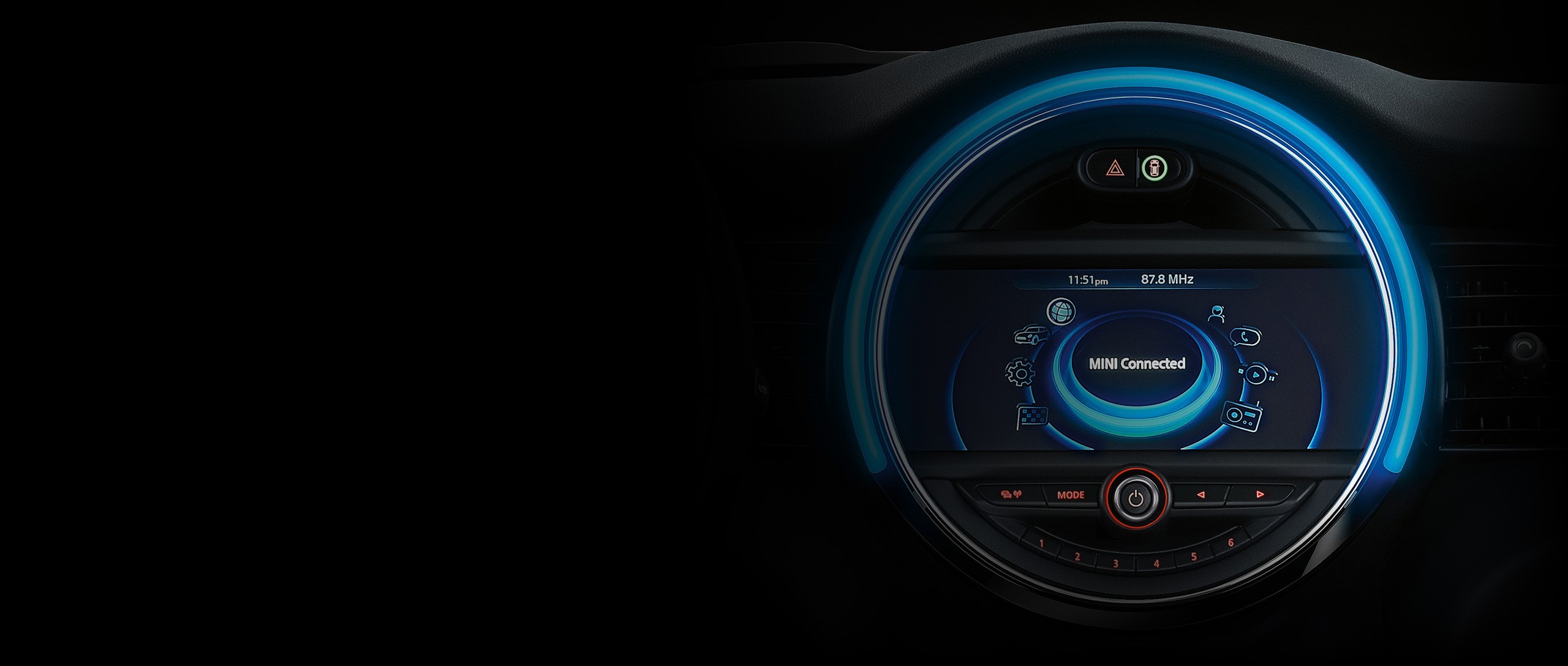
- MINI CONNECTED
-
What is required for the use of MINI Connected?
-
For which MINI models is MINI Connected available?
-
Can I retrofit MINI Connected on my MINI?
- Which smartphones are supported by MINI Connected?
-
Who should I contact if I have any problems with the USB port on my smartphone?
- USING CONNECTED
-
What do I have to do before I can use MINI Connected in my vehicle?
The following links take you to the download site for the MINI Connected and MINI Connected XL Journey Mate app: http://itunes.apple.com/app/mini-connected/id376699654. Alternatively, you can also search for MINI Connected or MINI Connected XL Journey Mate directly in the App Store or Google Play Store. You can obtain further information on what to do in the operating manual for your smartphone or from the manufacturer of your smartphone.
-
What do I have to do in order to use MINI Connected in my MINI?
-
Why am I asked to agree to the use of my location information (pop-up)?
-
Why do I have to register an account to use MINI Connected?
-
How do I reset my MINI Connected password?
-
Where can I obtain an update for my MINI Connected app?
-
How can I update my vehicle software?
-
When I use online applications, especially web radio, why are incoming calls forwarded directly to voicemail?
- I can't find the MINI Connected menu entry.
-
I can't find any of the MINI Connected functions in my MINI.
-
Even after connecting my smartphone and launching the MINI Connected app, I can't find any of the MINI Connected functions.
-
None of the online applications of MINI Connected or MINI Connected XL work.
2. In a foreign country: Data roaming is usually disabled. Please bear in mind that enabling data roaming may incur substantial additional costs.
-
From time to time, MINI Connected online applications are limited during the journey or are not available at all.
In many cases, poor reception can be identified by the low signal strength (typically indicated by the bar display). Even if good signal reception is indicated on the smartphone, it does not necessarily mean that the service quality is good as well. Service quality depends on other, often network-specific parameters.
-
What can I do if audio MINI Connected isn’t working?
- WEB RADIO
-
Why are there repeated audio interruptions for web radio?
-
The smartphone displays a good network connection, but I still experience a lot of audio interruptions.
-
Which station directory does web radio use?
-
What can I do if my favourite station is missing?
The site http://tunein.com/broadcasters/ lets you add extra stations.
-
What can I do if the data of my radio station is incorrect?
Refer directly to TuneIn via http://tunein.com/broadcasters/.
-
Why do some radio stations not feature in or disappear from the list?
- DYNAMIC MUSIC
-
How does Dynamic Music work?
-
Can I use Dynamic Music with songs from my personal music library?
-
Can I change the Dynamic Music playlist order?
-
What do I have to do before I can use Facebook in my MINI?
In order to use Facebook in your vehicle, a Facebook account is necessary. If you do not have a Facebook account, you can create it at http://www.facebook.com.
Disconnect the device from the vehicle and enter your Facebook login data in the MINI Connected app on the smartphone at [MINI apps][Facebook][Login to Facebook]. Accept the requests for permission to allow the access to your Facebook data by MINI Connected.
-
Why am I also logged-in to the official Facebook application after I logged in to Facebook in MINI Connected?
-
What does the paperclip symbol mean in the detailed view of a post?
-
The counter for comments/likes displays '…' instead of a number.
-
Entered login data for Facebook was not accepted in my MINI, even though the login on the smartphone was successful.
-
How can I change the language of the posts that I can send from my MINI?
-
Why can't posts be sent during a phone call via the hands-free kit?
-
What do I have to do before I can use Twitter in my MINI?
-
Is there a limit to the number of requests to Twitter?
-
What happens if tweets with the same content are sent several times?
-
How can favourite Tweets be viewed?
-
How can I change the language of the posts that I can send from my MINI?
-
Why aren't all posts that can be sent via Twitter/Facebook available in my MINI at all times?
- FOURSQUARE
-
What is Foursquare®?
Foursquare® is a location-based social network to keep you up to date with friends, discover what’s nearby, get tips and unlock deals and badges. You can check-in at venues and share your location with the community – even right from your MINI. For more information about Foursquare®, please visit https://Foursquare.com/about/.
-
What do I have to do before I can use Foursquare® in my MINI?
In order to use Foursquare® in your MINI, a Foursquare account is necessary. In case you don't have a Foursquare® account, you can create it at http://www.Foursquare.com. To login to your Foursquare® account, first make sure your device is disconnected from your MINI and enter your Foursquare login data in the MINI Connected app on the smartphone at [MINI apps][Foursquare][Login to Foursquare®]. Accept the requests for permission to allow MINI Connected to access to your Foursquare® data for usage in your MINI.
-
Can I use Foursquare® in my MINI without the MINI Navigation System?
- NEWS
-
Which news feeds are supported by MINI Connected?
- ONLINE SEARCH
-
What are the requirements to activate Online Search?
-
In which countries is Online Search available?
-
When I search for POIs at my current location, the given results are far away from my position.
- MINIMALISM
-
MINIMALISM is available in my MINI, but why don’t I get points or stars?
-
Why isn’t the high score list available in the MINIMALISM menu of my MINI?
-
Why isn’t the MINIMALISM ranking available in the MINI Connected app (greyed out)?
-
MINIMALISM does not store all of my journeys. Why?
-
What is the meaning of the time underneath the fish-graphic in MINIMALISM?
-
MINIMALISM does not store every Allstar time in “My best Allstar times”. Why?
-
Where can I learn more about economic driving?
- DRIVING EXCITEMENT
-
Driving Excitement doesn’t count any points. Why?
-
Why are the features Sport Instruments, Forcemeter and Condition Check not available in the Driving Excitement menu of my MINI?
-
When I select Driving Excitement in my MINI the display shows ‘loading...’ all the time. Why?
-
How can I change the displayed right-hand gauge (torque or rpm)?
-
How can I change the unit of the displayed engine power in the left-hand gauge (kW or hp)?
-
Where can I learn more about proper driving?
-
I have tuned my car. Why did the displayed maximum power not change?
- MISSION CONTROL
-
Which user activities/events will be commented on by Mission Control?
-
Why don't I get a commentary every time I take a certain action or use a specific function in my MINI, e.g. activating the air conditioning?
- CALENDAR
-
My calendar entries are not available in the vehicle.
-
How can I jump to the current date?
Financial Services
- GENERAL QUESTIONS
-
What is the difference between leasing, Hire Purchase, and MINI Select Personal Contract Purchase (PCP)?
- Hire Purchase
You own the car at the end of the contract.
You agree:
- a deposit
- how long you will pay (term)
- monthly payments
- Leasing (Only available to Business Customers)
You do not own the car.
You pay to use it for a set time.
At the end, you return the car.
- Monthly payments are usually lower
- You do not need to worry about selling the car
- You can change to a new car after the contract
- MINI Personal Contract Purchase (PCP) Select
This is a form of Hire-Purchase
- Typically, lower monthly payments
- You defer part of the value of the car until the end. This is the final optional payment or Guaranteed Minimum Future Value (GMFV)
- At the end, you can:
- buy the car by paying the GMFV
- return the car
- Part-exchange the car for a new model
Unlike HP, annual km are agreed at the start the contract. If you go above the km agreed, you will pay charges. Also, you need to maintain your vehicle in good condition because you will be charged for any damage outside general wear and tear.
-
How long can I lease or finance a car?
- You can lease or finance a new MINI
- Contracts usually last 12 to 120 months
You can also finance a used car if:
- it is sold by a MINI dealer
-
Why choose MINI Financial Services?
- Plans are tailored to your needs
- You get the car and finance in one place
- It can save you time
- Finance rates are competitive
- Terms are clear and customer-friendly
You may also:
- Return the car at the end (with some plans)
- Add services like maintenance or insurance
-
What is included in the interest rate?
The annual interest rate includes:
- the cost of borrowing (interest)
- fees and charges
It shows the total yearly cost of the loan as a percentage.
- The rate is fixed and stays the same during your contract
- Your contract terms are the final legal agreement
-
Is it better to get a loan from my bank and pay cash?
It depends on your circumstances and the loans available from your bank. You should consider your options carefully and we always recommend you get advice before making a financial decision.
MINI Financial Services offers:
- competitive rates
- flexible options
For example:
- you may be able to return the car at the end of the agreement
- banks do not usually offer this under a traditional personal loan
You can also get additional products and service:
- vehicle servicing
- maintenance plans
- insurance
-
What affects my monthly payments?
Your monthly payment depends on:
- deposit (down payment)
- contract length
- interest rate
For MINI Personal Contract Purchase (PCP) Select:
- the final optional payment (GMFV) also affects the monthly amount
For leasing:
- contract length
- mileage
- car value at the end (residual value)
You can adjust these to suit your budget.
-
What happens at the end of the contract?
Hire Purchase:
- You own the car after the final payment
Leasing:
- You return the car
MINI Personal Contract Purchase (PCP) Select:
You can:- pay the final optional payment (GMFV) and keep the car
- part-exchange for a new car
- return the car
- You will have to pay for excess mileage and vehicle damage outside normal wear and tear*
-
What affects the car’s value at the end (residual value)?
It depends on:
- contract length
- yearly mileage
- the car model
- Vehicle condition
-
Can I end my contract early?
Yes, in many cases.
- Leasing:
You may be able to change to another car early. - Hire Purchase:
You can end your agreement at any time by paying it off in full.
Ask us for a settlement figure. This is the total amount left to pay (loan + interest + fees)
You will have to pay a penalty interest charge for ending your agreement early.
This option means you keep the car and the agreement ends once paid.
2. Use the “Half Rule” (voluntary termination)
This is a key legal right in Ireland. You can return the car and end the agreement.
You must have paid at least 50% of the total HP price. If you haven’t paid 50% yet:
You can pay the difference to reach 50%. Once you do this you can return the car and you owe nothing more (except possible damage costs outside normal wear and tear).
3. Voluntary surrender (if you can’t afford payments)
If you are struggling, you can return the car to us. This is called voluntary surrender. You will still owe any remaining balance after the car is sold. This is usually more expensive than the Half Rule. We recommend you get advice before considering this option.
4. Sell the car (with permission)
You may be able to sell the car yourself. You must get permission from us because we are the legal owner. The money from the sale goes toward your loan but you must pay any shortfall.
MINI Personal Contract Purchase (PCP) Select
1. Pay off the agreement early (early settlement)
You can end your PCP at any time by paying it off.
Ask us for a settlement figure.
This includes:
- Remaining monthly payments.
- Rhe final optional payment (GMFV).
- Fees & charges (early surrender penalty and option to purchase fee).
- Excess mileage or vehicle damage charge.
You own the car and the agreement ends once you have paid all amounts due
2. Use the “Half Rule” (voluntary termination)
Like HP, you have the same legal right to end your PCP early.
You must pay 50% of the total amount payable.
3. Return the car early (voluntary surrender)
If you are struggling to pay you can return the car to us but
you must pay any remaining balance after the car is sold. This can be expensive.
What makes PCP different?
PCP includes a large final optional payment (GMFV). It means you usually reach the 50% under the half rule much later than with hire purchase.
- Leasing:
- CONTRACT REQUIREMENTS
-
What is the process for signing a leasing or financing contract at a dealership? What are the necessary documents and other requirements?
As a rule, a decision regarding your creditworthiness will be made within a few hours. Then all you have to do is sign the contract. Your local dealer will take care of all administrative handling, such as vehicle registration or application for an individual license plate.
-
Why do I have to go through a credit check?
- YOUR FINANCING CONTRACT
-
When are the monthly payments debited from my account?
-
What happens if my main bank declined the debit advice procedure?
-
My bank account details have changed. How can I provide you with the new information?
-
I am currently facing financial problems. Is there a way to change my monthly payments structure?
-
Is there a possibility of changing the terms of my contract?
-
My account is overdrawn. Is there still a way for me to pay my monthly rate?
-
s there a way to reorganise my contract as regards the term or monthly payments?
-
Is there a way to adjust the mileage fixed in the contract if it is too low?
-
My personal data has changed. How should I communicate these changes?
-
What happens at the end of my leasing or financing contract?
MINI Select enables you to decide whether to purchase the vehicle at the end of the contract or to use follow-up financing for the residual amount. What's more, you have the possibility to return the vehicle to MINI Financial Services and make a contract for your new MINI.
-
What does "agreed returning condition of vehicle at the end of leasing or Select contract" mean?
This information is not legally binding. Arrangements contained in your individual contract are valid.
-
What happens if the condition of my car is not as contractually agreed upon?
If you have exceeded the set mileage, you will be obliged to pay a fee that is set out in your contract. At present, up to 2 500 km above the agreed mileage at the end of the contract are free of charge. If you are below the set mileage, you will receive a voucher.
This information is not legally binding. Arrangements contained in your individual contract are valid. - INSURANCE & SERVICE
-
Are there any additional services for my leasing or financing contract?
One particular advantage of this is that you can include these extra services via a monthly payment. In this way, you have the greatest possible transparency regarding your total costs.
This information is not legally binding. Arrangements contained in your individual contract are valid. -
Which additional maintenance services are available for my leasing or financing contract?
- Maintenance & inspection
- Repair & reconditioning
- Extended warranty
-
Which additional MINI insurance is available for my leasing or financing contract?
- The motor insurance policies MINI Basic Cover, MINI Top Cover and MINI Smile
- MINI Debt Insurance
- MINI Gap Insurance
-
What is the benefit of MINI Debt Insurance?
-
What are the benefits of MINI Basic Cover and MINI Top Cover/MINI Smile insurance?
MINI Smile offers you leasing with insurance included and a twofold advantage: In addition to low lease payments, MINI Smile will provide you with an all-round comprehensive insurance package. The insurance premium depends on your MINI model and on your no-claims bonus and region category.
For more information about MINI Basic Cover, MINI Top Cover and MINI Smile, go to the "MINI motor insurance" section. -
What is the benefit of MINI Gap Insurance?